
Download GiMeSpace Desktop Extender 3D – Free 3D Desktop Expansion Tool for Windows
Transform Your Desktop Experience with GiMeSpace Desktop Extender 3D
GiMeSpace Desktop Extender 3D is a powerful yet lightweight software solution designed to revolutionize how you interact with your desktop. Unlike traditional desktop setups that limit you to a single screen’s physical boundaries, this innovative tool creates a virtual 3D workspace that extends far beyond your monitor’s dimensions. Whether you're a digital artist, a software developer, a project manager, or simply someone who juggles multiple windows daily, GiMeSpace Desktop Extender 3D gives you the freedom to navigate an expansive digital environment with smooth, intuitive gestures.
One of the standout features of this software is its ability to let you scroll not just left and right, but also zoom in and out, creating a true three-dimensional browsing experience. This allows you to organize your workspace like a digital canvas—pinning documents, spreadsheets, design mockups, and browser tabs across vast virtual space. The program operates efficiently, using minimal system resources: CPU usage rarely exceeds 1%, and memory consumption stays under a few megabytes, even with dozens of open windows. This makes it ideal for older systems or laptops where performance is a concern.
What truly sets GiMeSpace Desktop Extender 3D apart is its seamless integration with Windows. Once installed, it runs quietly in the background, offering enhanced navigation without disrupting your workflow. You can customize scroll speed, enable sticky scrolling for smooth transitions, and adjust visual themes, colors, and toolbar appearances through an intuitive control panel. Whether you prefer a dark, minimalist interface or a vibrant, animated theme, the software adapts to your style. With a free trial available, you can test all features before deciding to purchase, making it a low-risk investment for anyone seeking a smarter, more efficient desktop experience.
Key Features That Elevate Productivity and Visual Freedom
GiMeSpace Desktop Extender 3D isn’t just about expanding space—it’s about transforming how you use it. The software comes packed with intelligent features designed to boost efficiency and user comfort. One of the most impressive capabilities is the 3D navigation system, which allows you to zoom into specific areas of your virtual desktop with precision. This is especially useful when managing large projects or working with detailed visual content like UI/UX designs, architectural plans, or multi-monitor layouts.
The software supports dynamic window resizing, enabling you to stretch individual windows beyond your screen’s physical limits. This means you can view entire spreadsheets, long documents, or wide code files without constant scrolling. For professionals who rely on multiple applications simultaneously, this feature eliminates the need to constantly switch between windows, reducing cognitive load and improving focus.
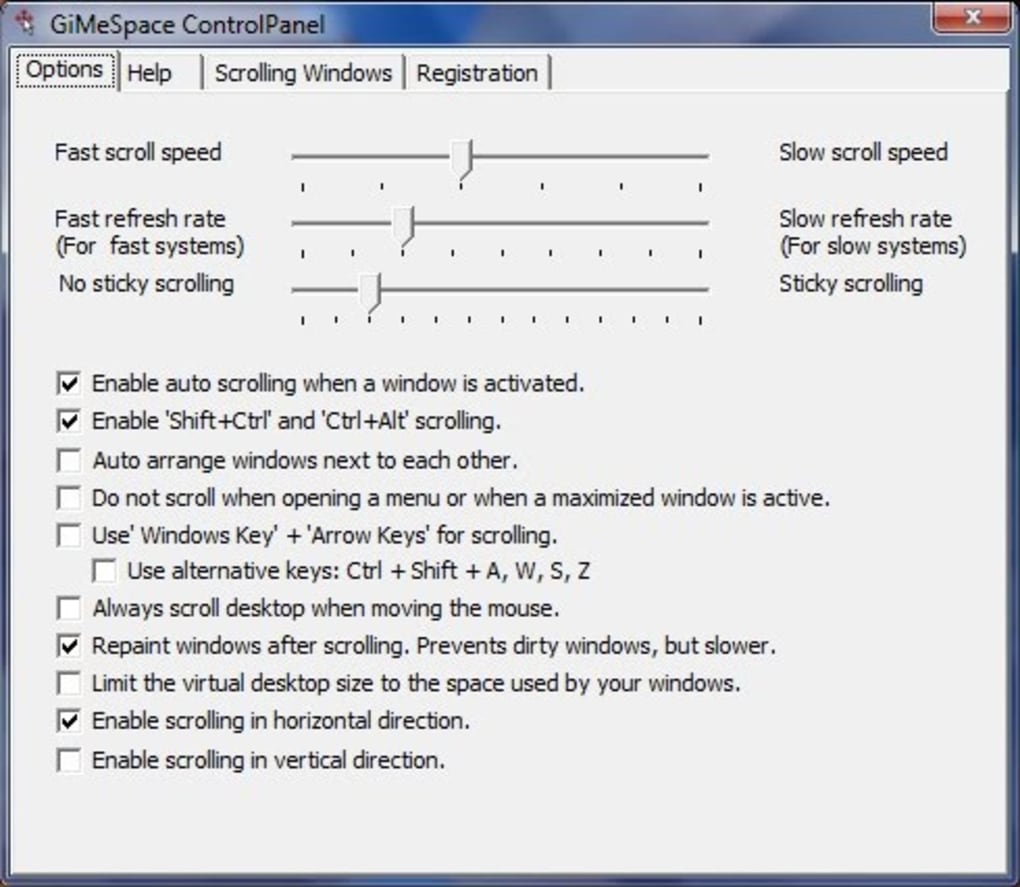
Another powerful feature is the customizable scroll behavior. Users can adjust scroll speed, enable sticky scrolling (which keeps momentum after you release the mouse), and even set up directional sensitivity for smoother navigation. These settings are accessible through a centralized control panel, ensuring that customization is straightforward and intuitive. Additionally, the app supports a variety of visual themes, background options, and toolbar styles, allowing you to personalize the interface to match your aesthetic preferences.
For those who value privacy and security, GiMeSpace Desktop Extender 3D is a lightweight tool that doesn’t require admin rights or intrusive permissions. It runs in the background without slowing down your system, making it a safe and secure addition to your Windows setup. Whether you're using it on Windows 7, 8, 10, or 11, the software maintains compatibility and performance consistency across all versions.
Installation & Usage: Simple Steps for a Smoother Workflow
Getting started with GiMeSpace Desktop Extender 3D is straightforward and hassle-free. Begin by visiting the official website and downloading the installer file. The download is free, secure, and virus-checked, ensuring you receive the genuine software without any bundled adware or unwanted programs. Once downloaded, run the installer and follow the on-screen prompts—no complex configurations are required.
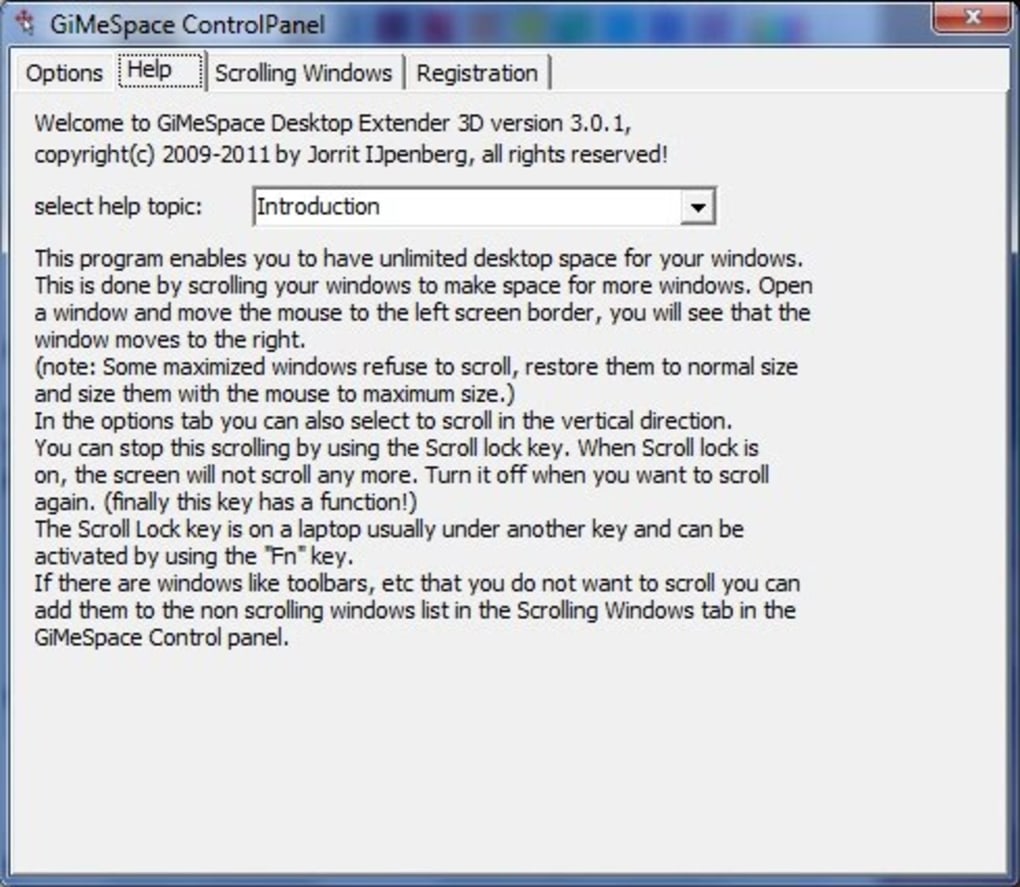
After installation, launch the application. You’ll notice a small icon in the system tray, indicating that the software is active. Right-click the icon to access the control panel, where you can adjust settings like scroll speed, zoom sensitivity, and visual themes. The interface is clean and user-friendly, with clear labels and real-time previews, so you can see changes instantly.
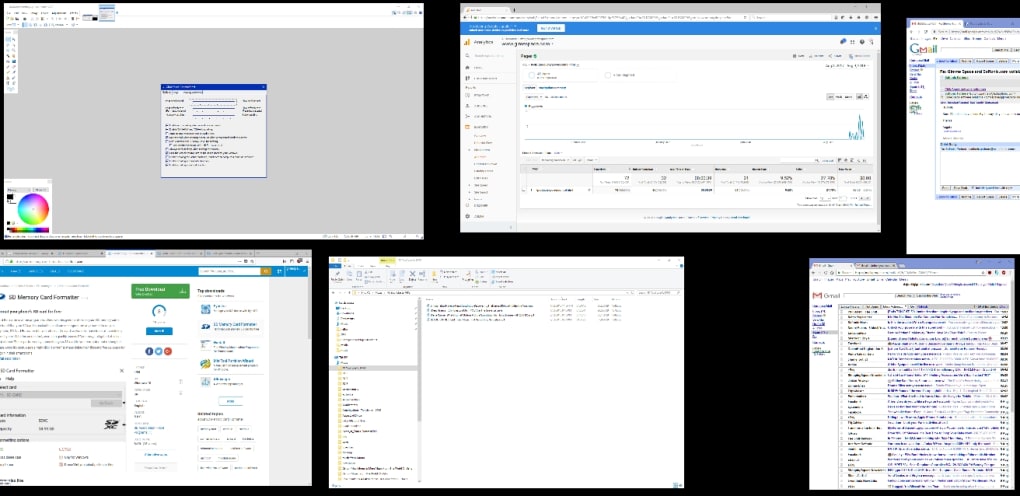
To begin using the 3D workspace, simply move your mouse to the edge of the screen. The desktop will smoothly transition into the extended virtual space. You can scroll horizontally or vertically, and use the scroll wheel to zoom in and out. Windows can be dragged across the virtual space, and their size can be adjusted to fit larger areas. For optimal results, consider organizing your work into zones—such as a “coding zone,” “design zone,” and “research zone”—to enhance workflow efficiency.
Updates are delivered automatically through the built-in updater, ensuring you always have access to the latest features and security patches. The software checks for updates in the background, minimizing disruptions to your daily tasks. With such a simple setup and intuitive navigation, even first-time users can master GiMeSpace Desktop Extender 3D in minutes.
Compatibility & System Requirements
GiMeSpace Desktop Extender 3D is designed to run smoothly on a wide range of Windows systems. It is fully compatible with Windows 7, 8, 10, and 11, making it accessible to both legacy and modern users. Whether you're using a desktop, laptop, or tablet with Windows, you can take advantage of its 3D desktop expansion capabilities.
The software has minimal system requirements, which contributes to its lightweight nature and high performance. It requires only a few megabytes of RAM and virtually no CPU power—typically less than 1% usage on modern hardware. This makes it ideal for older machines or devices with limited processing power. It also works well with multiple monitors, allowing you to extend your virtual desktop across all connected displays seamlessly.
There is no need for advanced hardware like a dedicated graphics card. The software uses efficient rendering techniques to deliver smooth 3D transitions and zoom effects without taxing your system. It also integrates well with touch-enabled devices, supporting touch gestures for scrolling and zooming on compatible screens.
For users who value cross-platform flexibility, it’s worth noting that GiMeSpace Desktop Extender 3D is currently available only for Windows. However, its robust feature set and efficient design make it a top-tier choice for Windows users looking to maximize their workspace without upgrading hardware.
Pros and Cons: A Balanced View of GiMeSpace Desktop Extender 3D
- Pros:
- Expands desktop space into a true 3D environment
- Extremely lightweight—uses minimal CPU and RAM
- Smooth, responsive navigation with zoom and scroll features
- Customizable themes, colors, and scroll behavior
- Free trial available before purchase
- Compatible with Windows 7 through 11
- Secure, adware-free download
- Automatic update system
- Cons:
- Windows-only—no Mac, iOS, or Android support
- Learning curve for users unfamiliar with 3D navigation
- Limited to desktop expansion—no mobile app
- Visual effects may be distracting for some users
- Advanced features require some setup and experimentation
Frequently Asked Questions (FAQ)
Is GiMeSpace Desktop Extender 3D free to download?
Yes, GiMeSpace Desktop Extender 3D offers a fully functional free trial. You can download and test all features without any cost. After the trial, a license is required for continued use, but the pricing is affordable for both personal and professional use.
Can I use GiMeSpace Desktop Extender 3D on Windows 11?
Absolutely. GiMeSpace Desktop Extender 3D is fully compatible with Windows 11. It integrates seamlessly with the latest Windows features and supports touch, multi-monitor setups, and high-DPI displays.
How much system resources does it use?
The software is extremely lightweight. CPU usage rarely exceeds 1%, and memory consumption remains under a few MB, even with many windows open. It’s designed to run efficiently on older or low-spec machines.
Does it support multiple monitors?
Yes, GiMeSpace Desktop Extender 3D works seamlessly with multiple monitors. You can extend your virtual desktop across all connected displays, providing a unified and expansive workspace.
Can I customize the interface and navigation?
Yes, the software offers extensive customization options. You can adjust scroll speed, enable sticky scrolling, change themes, backgrounds, colors, and toolbar appearance—all from the centralized control panel.
Final Thoughts: Is GiMeSpace Desktop Extender 3D Worth It?
GiMeSpace Desktop Extender 3D is more than just a desktop utility—it’s a productivity revolution. If you’re tired of constantly switching between windows, scrolling endlessly, or feeling cramped on a small screen, this software offers a fresh, immersive way to organize your digital workspace. With its 3D navigation, lightweight design, and intuitive controls, it delivers real value to professionals, creatives, and everyday users alike.
While it’s currently limited to Windows, its performance, ease of use, and affordability make it a top contender in the desktop enhancement space. The free trial allows you to experience its full potential before committing, ensuring a confident purchase decision.
Whether you're managing complex projects, designing intricate layouts, or simply want a more spacious and organized desktop, GiMeSpace Desktop Extender 3D is a must-try. Download it today and unlock the full potential of your Windows desktop.







